摘要
在开发 hugo 主题的过程中,由于时间跨度蛮大的,防止遗忘,把开发中遇到的细节问题都记录一下。
正文
一、快速使用 hugo 在 windows 上有三个不同的版本可选择:标准版、扩展版和扩展部署版:
据官方文档,Hugo v0.121.1 及更高版本至少需要 Windows 10 或 Windows Server 2016。
版本 特点 标准版(Standard Edition) 内置 Hugo 核心功能(生成静态网站)。 扩展版(Extended Edition) 除核心功能外,还支持 处理 Sass/SCSS 转 CSS (对前端样式更友好)。 扩展部署版(Extended/Deploy Edition) 除了扩展版的全部功能,还可以 直接部署到云存储 。
该主题适用于扩展版和扩展部署版,因为内部用到了 scss。
展开
快速启动该站点 hugo-theme-starry-example ,预览 meethigher.github.io
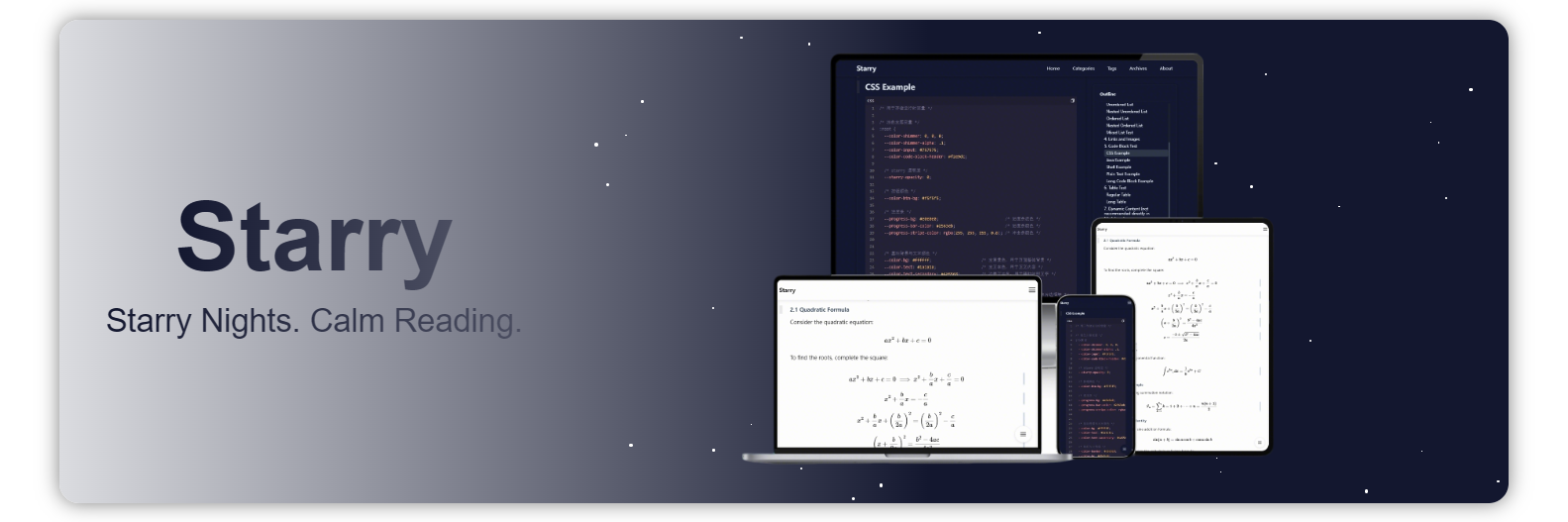
二、开发背景 我以 starry 为名,开发了两款主题,分别为
hexo-theme-starry 2019 ~ 2025 大学期间,软件工程 pxy 老师,建议我们多写 cnblogs、多用 github。现在回想起来,也是少有的实战派老师。那时候突发奇想——自建博客。就匆忙使用 jquery 以及很多第三方插件自建了该主题。之后就一直在往上搭积木,实际这款主题一坨粑粑。 hugo-theme-starry 2024 ~ 至今 时不时的发现前代主题特别重,而且也有很多交互体验不好的地方,一直想要重写,力求比前代主题——更简洁、更实用、轻依赖。 之所以放弃 hexo,是因为随着时间流逝,我的文章或者说未公开的笔记,已经有 300 余篇,hexo 构建太慢了。
starry 意为繁星,之前看过我主题的小伙伴也表示,只是添加了背景粒子效果,跟 starry 完全不搭边。
我希望简洁并专注于阅读,同时还能突出主题的核心。没有更满意的设计,因此仍然继承了这种粒子效果的风格。
不想拾人牙慧,所以就自己写主题,这或许算是一种码农“洁癖”。
另外我也确实没有找到一款适合我的主题。很多主题开发者更偏向于炫技,却忽略了实用性。比如:
主题过于臃肿,炫目的字体与特效、堆叠的 CSS 和 JS,让页面加载缓慢。 配色复杂繁杂,而我只希望主题色保持两种纯色——深与浅。 没有返回顶部或底部的按钮。 缺少清晰的目录结构。 响应式体验不佳。 图片无法自由缩放。 不支持全局搜索。 没有置顶功能。 SEO 优化薄弱。 数学公式渲染卡顿。 技术文章具有时效性,却不标注创建时间与更新时间。 …… 念念不忘,必有回响。所以就有了该主题。
三、开发日志 3.1 开发周期 开发周期如下
2024~2025:断断续续,一直考虑如何更轻量化的从 hexo 迁移至 hugo,算是了解与学习 hugo 的过程 2026.01.22~2026.01.23:设计原型 2026.01.24~2026.02.09:全力开发,完成基础功能。如下内容布局的结构与样式设计baseof:骨架 home:首页 list:列表页taxonomy:标签与分类列表页 section:文章列表页 single:内容页。重点设计代码块上的交互 seo 与 sitemap 相关 控制台日志规范设计,便于无代码定位问题 深浅主题色样式设计 弹窗类设计,原生 js 实现,相比前代主题更轻量 离线引入 gitalk 评论系统,兼容前代主题,并适配主题样式 网页访问统计,保留前代主题的 count-for-page 用法 2026.02.22~至今:完成重点功能。如下内容移动端阅读体验优化从阅读体验的角度来说,移动端不适合存在多种不同大小的字体,故移动端字体全部调整为 1rem 搜索功能使用 indexDB 存储数据,并支持时效性缓存,避免频繁加载索引数据 设计 ui 状态机,即使后续数据量过大,使用者也能知道当前处于检索的哪一步,让搜索交互更人性化。 图片懒加载功能原生 js 实现的懒加载功能,相比前代主题更轻量 预设图片尺寸,完全解决加载图和图片大小不一导致的抖动问题。同时又能在展示时直接展示原图尺寸 图片查看功能 mathjax 功能cdn 引入 mathjax ,兼容前代主题,并添加加载动效 对小屏友好块级公式支持滚动 行内公式在溢出时自动切换成块级公式 调试模式随着文章的变多,我并不想打开资源目录去找文件,而是希望通过网页直接打开本地 markdown 文件 配置调试的 hfopener 服务,即可直接通过网页打开 markdown 文件 3.2 碎碎念 3.2.1 开发环境 开发环境
拉取源码,进行 hugo 离线文档的运行
1
2
3
4
5
6
git clone https://github.com/gohugoio/hugo.git
cd hugo
git checkout v0.154.5
cd docs
npm i
hugo server
编写 hugo 主题之前,要先了解 hugo,这个文档就是个不错的入手 demo。比任何第三方主题都规范。
展开
3.2.2 基础命令使用 hugo cli
快速使用主题启动站点。
 1
 2
 3
 4
 5
 6
 7
 8
 9
10
11
# 创建示例站点
hugo new site quickstart
cd quickstart
git init
# 获取主题
git clone https://github.com/meethigher/hugo-theme-starry themes/starry
# 使用默认配置启用主题
echo theme = 'starry' >> hugo.toml
# 使用主题自带配置启用主题(建议)
cp themes/starry/hugo-example.toml hugo.toml
hugo server
创建文章
开发主题
1
hugo new theme theme-starry
针对主题的优化,可以通过命令查看瓶颈问题
1
hugo server --templateMetrics
展开
3.2.3 统一代码块风格 hugo 内置使用 chroma 作为语法高亮器,这里面包含一些配置项,可以参阅官方文档 Syntax highlighting
我在设计主题时,需要自己定义深色与浅色的样式。于是使用 hugo 的配置项生成 css 类名
 1
 2
 3
 4
 5
 6
 7
 8
 9
10
11
12
13
14
15
16
17
18
markup :
# 禁用 hugo 的内置语法高亮器 https://gohugo.io/content-management/syntax-highlighting/
highlight :
# 代码高亮
codeFences : true
# true表示使用内联样式。false表示使用css类名
noClasses : false
# 展示行号
lineNos : true
# false表示关闭语言自动检测
guessSyntax : false
goldmark :
renderer :
# 允许渲染 markdown 中的 script
unsafe : true
extensions :
# false 表示关闭智能排版(自动把 -- 变成 –,... 变成 …,英文引号变成中文引号等)
typographer : false
并且自行去 chroma 的 playground 选择并生成深色与浅色样式。
1
2
hugo gen chromastyles --style= rose-pine-moon >dark.css
hugo gen chromastyles --style= rose-pine-dawn >light.css
如果在 markdown 中指定了代码块使用的语言类型,那么 hugo 就会将代码块交给 chroma 来处理,生成的 dom 结构如下
 1
 2
 3
 4
 5
 6
 7
 8
 9
10
11
12
13
14
15
16
< div class = "highlight" >
< div class = "chroma" >
< table class = "lntable" >
< tbody >
< tr >
< td class = "lntd" >
< pre tabindex = "0" class = "chroma" >< code >< span class = "lnt" > 1</ span ></ code ></ pre >
</ td >
< td class = "lntd" >
< pre tabindex = "0" class = "chroma" >< code class = "language-sh" data-lang = "sh" >< span class = "line" >< span class = "cl" > curl -v https://google.com</ span ></ span ></ code ></ pre >
</ td >
</ tr >
</ tbody >
</ table >
</ div >
</ div >
如果在 markdown 中没有指定代码块使用的语言类型,那么 hugo 就直接交给 Goldmark(真正把 .md 变成 HTML 的那一层) 处理,生成的 dom 结构如下
1
< pre tabindex = "0" >< code > curl -v https://google.com</ code ></ pre >
这个生成结构不统一的问题,对于开发主题时来说比较恶心。参考文档 Code block render hooks ,我的解法是强制所有代码块走 Chroma ,如果未指定语言类型时,默认就设置为 text,代码参考 layouts/_markup/render-codeblock.html
另外还遇到了代码块带行号时,行号和内容没有对齐的问题,排查发现是 chroma 自动生成的样式中,两者并没有使用相同的布局导致的。
3.2.4 chrome 90 兼容性测试 之前在兼容旧版浏览器时,发现 gap 很多不支持。在 chrome 90 中,居然支持 gap,所以网站中大多数是使用的 flex 布局和 grid 布局,简单的水平和垂直就使用 flex 布局,复杂的就使用 grid 布局。
在使用 chrome 90 进行兼容性测试时,发现 css 的 transition 在普通文本和 svg 上,针对 transition 动画呈现不一样的效果(新版本正常)。
svg 的 stroke="currentColor" 会继承父级的颜色,如果父级颜色过渡本身有动画,在 chrome 90 中,svg 的过渡就是双倍时间。
复现与解决 demo 如下
 1
 2
 3
 4
 5
 6
 7
 8
 9
10
11
12
13
14
15
16
17
18
19
20
21
22
23
24
25
26
27
28
29
30
31
32
33
34
35
36
37
38
39
40
41
42
43
44
45
46
47
48
49
50
51
52
53
54
55
56
57
58
59
60
61
62
63
64
65
66
<!doctype html>
< html lang = "zh-CN" >
< head >
< meta charset = "UTF-8" >
< meta name = "viewport"
content = "width=device-width, user-scalable=no, initial-scale=1.0, maximum-scale=1.0, minimum-scale=1.0" >
< meta http-equiv = "X-UA-Compatible" content = "ie=edge" >
< title > Document</ title >
< style >
body {
position : relative ;
}
* {
transition : color 1 s ease , background-color 1 s ease ;
}
svg {
/*transition: none !important;*/
}
. sidebar-tools {
position : fixed ;
right : 20 px ;
bottom : 100 px ;
z-index : 999 ;
display : flex ;
flex-direction : column ;
gap : 15 px ;
}
. tool-btn {
width : 50 px ;
height : 50 px ;
background-color : white ;
color : black ;
border : 1 px solid lightgray ;
border-radius : 50 % ;
cursor : pointer ;
display : flex ;
align-items : center ;
justify-content : center ;
box-shadow : 0 2 px 8 px gray ;
}
. tool-btn : hover {
background-color : skyblue ;
color : white ;
transform : translateY ( -3 px );
box-shadow : 0 4 px 12 px darkgray ;
/*transition: background-color 1s ease;*/
}
</ style >
</ head >
< body >
< aside class = "sidebar-tools" >
< button class = "tool-btn" > test</ button >
< button class = "tool-btn" >
< svg width = "20" height = "20" viewBox = "0 0 24 24" fill = "none" stroke = "currentColor" stroke-width = "2" >
< path d = "M18 15l-6-6-6 6" />
</ svg >
</ button >
</ aside >
</ body >
</ html >
我后面多次测试又发现,在 chrome 90 版本中,不管是 svg 还是其他标签,只要没有显式设置颜色,而需要继承父级颜色的,都存在该问题。
3.2.5 文件更新时间 在 hexo 中,page.updated 自动获取文章文件的更新时间,查阅了下 hugo 的lastmod 文档 ,居然不支持该操作。于是获取文件更新时间的操作只能自行实现了。
1
2
3
{{ $filePath := .File.Path }}
{{ $stat := os.Stat $filePath }}
< p > 文件实际修改时间:{{ $stat.ModTime.Format "2006-01-02 15:04:05" }}</ p >
同样的,针对 sitemap.xml 按照更新时间倒序的生成,也进行了调整
 1
 2
 3
 4
 5
 6
 7
 8
 9
10
11
12
13
14
15
16
17
18
19
20
21
22
23
24
25
26
27
28
29
30
31
32
{{- printf "<?xml version=\"1.0\" encoding=\"UTF-8\"?>\n" | safeHTML -}}
<urlset xmlns="http://www.sitemaps.org/schemas/sitemap/0.9">
    {{- /* 1. 筛选符合条件的页面 */}}
    {{- $pages := where .Site.Pages "Type" "post" }}
    {{- $pages = where $pages "Draft" "eq" false }}
    {{- $pages = where $pages "PublishDate" "<=" now }}
    {{- $pages = where $pages "File" "ne" nil }}

    {{- /* 2. 一次性获取并格式化修改时间,避免重复IO操作 */}}
    {{- $sortedPages := slice }}
    {{- range $pages }}
    {{- $fileInfo := os.Stat .File.Path }}
    {{- if $fileInfo }}
    {{- /* 提前格式化时间,避免后续重复计算 */}}
    {{- $modTimeFormatted := $fileInfo.ModTime.Format "2006-01-02T15:04:05Z07:00" }}
    {{- /* 一次性存储所有需要的信息:页面、修改时间(原始)、格式化时间 */}}
    {{- $sortedPages = $sortedPages | append (dict
    "Page" .
    "ModTime" $fileInfo.ModTime
    "ModTimeFormatted" $modTimeFormatted
    ) }}
    {{- end }}
    {{- end }}

    {{- /* 3. 按文件修改时间倒序排序 */}}
    {{- $sortedPages = sort $sortedPages "ModTime" "desc" }}

    {{- /* 4. 生成sitemap条目(直接使用预格式化的时间) */}}
    {{- range $sortedPages }}
    {{- printf "\n<url>\n <loc>%s</loc>\n <lastmod>%s</lastmod>\n</url>" .Page.Permalink .ModTimeFormatted | safeHTML -}}
    {{- end }}
</urlset>
3.2.6 summary 与 content hugo 的 .Summary 获取分割的摘要内容,而 .Content 获取的是包含摘要和正文的内容。我在主题中,希望将摘要和正文区分开。就需要借助布尔值 .Truncated(当有分隔符时为 true,无分隔符时为 false)
 1
 2
 3
 4
 5
 6
 7
 8
 9
10
{{ if .Truncated }}
{{ $summaryLen := .Summary | len }}
<div class="post-summary">摘要</div>
{{ .Summary }}
<div class="post-content">正文</div>
{{ .Content | after $summaryLen | safeHTML }}
{{ else }}
<div class="post-content">正文</div>
{{ .Content }}
{{ end }}
3.2.7 检索 在做检索时,依旧采用纯前端检索的方式,主要解决两个问题
索引数据加载慢问题。解决方案引入时效性缓存机制 使用 indexDB 存储。一开始考虑使用 localStorage 还是 indexDB,考虑到后续数据量的原因,还是 indexDB 合适一点 检索时交互问题。解决方案页面加载完成后,立马在后台加载数据,保证使用时数据已加载完毕 建立 ui 状态机,五种状态(索引加载中、空闲、检索中、无匹配、成功)。这样在使用时,也能清楚的知道当前所处的检索状态 3.2.8 图片 引入 viewerjs 实现图片查看器时,发现会存在抖动问题。仔细排查,发现问题源于下面这段代码。
展开
全局图片遮罩打开时会通过 CLASS_OPEN 设置 overflow:hidden 隐藏滚动条,这会导致页面内容向右抖动,而如上代码就是为了解决抖动问题。而我在设计主题时,使用了 sticky 定位,这要求 body 不能 hidden,并且我还设置了全局滚动条一直存在。如图代码反而会引起抖动,因此将 open 与 close 这两个方法注释掉。
3.2.9 数学公式 mathjax@3.2.2 这个太重了,而且用途也单一,因此直接 cdn 引入,并添加了加载图,避免数学公式渲染时的抖动问题。
另外遇到了新的问题,使用过长的行内公式,在移动端展现效果不好。如下图
展开
我借鉴了让MathJax的数学公式随窗口大小自动缩放 - 科学空间|Scientific Spaces 的做法,虽然能解决问题,但是也带来了失真。
 1
 2
 3
 4
 5
 6
 7
 8
 9
10
11
12
13
14
15
function autoResizeMath () {
document . querySelectorAll ( '.MathJax' ). forEach ( function ( e ) {
e . style . fontSize = "" ;
var parentWidth = e . parentNode . offsetWidth ;
if ( e . offsetWidth > parentWidth ) {
e . style . fontSize = ( parentWidth * 100 / e . offsetWidth ) + "%" ;
}
});
}
window . addEventListener ( "load" , function () {
MathJax . startup . promise . then ( autoResizeMath );
});
window . addEventListener ( "resize" , autoResizeMath );
效果如下
展开
所以我放弃了上述做法,而是判断如果溢出,就将行内公式替换成块级公式 ,以此实现滚动效果。
 1
 2
 3
 4
 5
 6
 7
 8
 9
10
11
12
13
14
15
16
function logWidths () {
// 其中块级公式与行内公式的区别就是有没有 `display="true"` 的属性
const list = document . querySelectorAll ( "mjx-container" );
list . forEach (( el , index ) => {
const parent = el . parentElement ;
const parentWidth = parent ? parent . getBoundingClientRect (). width : 0 ;
const selfWidth = el . getBoundingClientRect (). width ;
console . log ( "公式索引:" , index );
console . log ( "父级宽度:" , parentWidth );
console . log ( "公式宽度:" , selfWidth );
console . log ( "是否溢出:" , selfWidth > parentWidth );
console . log ( "--------------" );
});
}
展开
3.2.10 yaml 与 toml hugo 官方比较推荐 toml 配置,于是我将 yaml 配置通过 ai 转换成 toml 配置,结果观察启动日志一直无法让 theme 参数生效,原因是 ai 给我转换的结果如下
原始 yaml
1
2
3
4
5
pagination :
pagerSize : 4
path : page
theme : starry
转换错误的 toml
1
2
3
4
5
[ pagination ]
pagerSize = 4
path = "page"
theme = "starry"
对于 toml 来说,从某个 [table] 开始,后续键值都属于这个 table,直到遇到新的 table 定义。
ai 的准确性还是差了点,建议直接使用在线工具YAML to TOML - IT Tools
展开
3.2.11 发布主题 fork 官方的主题仓库 gohugoio/hugoThemesSiteBuilder: The source for https://themes.gohugo.io
按字母升序,在 themes.txt 中添加主题仓库地址即可。主题数实在太多了,直接在首行添加主题,然后执行命令进行排序即可。
1
sort themes.txt > themes-sorted.txt
其中注意事项如下
hugo.toml 配置文件,指定 hugo 的可用版本theme.toml 配置文件,包含主题元属性README.md 主题说明。若引用图片,必须使用绝对路径 github 上的静态资源引用格式 https://raw.githubusercontent.com/用户名/仓库名/分支名/资源路径 主题说明图片宽高比:3/2 文件名及位置截图:[ThemeDir]/images/screenshot.{png,jpg} 缩略图:[ThemeDir]/images/tn.{png,jpg} 尺寸要求截图:至少 1500*1000 像素 缩略图:至少 900*600 像素 构建的速度还是蛮快的,提交后的一分钟,预览页就构建好了。
展开
3.2.12 下载/提取艺术字 在涉及到英文的时候,尝试寻找一些手写体,部分网站提供的 woff 字体格式均不好使。但是基本所有字体都有 ttf 格式,所以我又将 ttf 转为 woff。
展开
涉及到的工具站如下
有些字体,网上提供的跟 Windows 自带的字体展示效果不同。就比如 Comic Sans MS,所以我就在 Windows 中自行提取 ttf 字体了,然后进行转换。
展开
3.2.13 前进/回退进度条隐藏 主题中在编译时生成的 a 标签,均注册了点击加载进度条的效果。这在正常的点击页面时,使用没问题。
但是当执行前进/回退时,由于不同浏览器的触发效果不同。最终我做了如下兼容效果。
 1
 2
 3
 4
 5
 6
 7
 8
 9
10
11
window . addEventListener ( "load" , resetProgress );
window . addEventListener ( "pageshow" , function ( e ) {
resetProgress ();
});
document . addEventListener ( "visibilitychange" , () => {
if ( document . visibilityState === "visible" ) {
resetProgress ();
}
});
我粗略测试触发时机,确实符合 ai 的如下说法
场景 load pageshow visibilitychange 首次进入页面 ✅ ✅ ❌ BFCache 返回 ❌ ✅ ✅ 切换 tab 再回来 ❌ ❌ ✅ 页面重新加载 ✅ ✅ ❌
3.2.14 dom抖动问题 我的布局设计如下
展开
我的 dom 结构如下
1
2
3
4
< div id = "content" >
< div id = "post" ></ div >
< div id = "toc" ></ div >
</ div >
由于 dom 的解析是从上到下执行的,当我的 post 内容很长时,在移动端将 toc 置顶展示,就会出现一闪而过的抖动问题。解决办法也很简单,将其调换一下顺序即可。
四、适配 下面就需要将 starry 主题的 hexo 文章转移到 hugo。适配内容如下
文章结构适配 markdown 内容适配front-matter 适配 图片适配 4.1 文章结构适配 4.1.1 新旧对比 hexo 文章结构
1
2
3
4
5
6
7
8
│  java.md
│  nodejs.md
│
├─java
│      image-20260227123802560.png
│
└─nodejs
        image-20260227123802560.png
hugo 文章结构
 1
 2
 3
 4
 5
 6
 7
 8
 9
10
├─nodejs
│  │  index.md
│  │
│  └─index
│          image-20260227123802560.png
├─java
│  │  index.md
│  │
│  └─index
│          image-20260227123802560.png
4.1.2 脚本 python 脚本
 1
 2
 3
 4
 5
 6
 7
 8
 9
10
11
12
13
14
15
16
17
18
19
20
21
22
23
24
25
26
27
28
29
30
31
32
33
34
35
36
37
38
39
40
41
42
43
44
45
46
47
import os
import shutil
base_path = os . getcwd ()
base_path = "D:/Desktop/post_test/_posts"
for file in os . listdir ( base_path ):
if not file . endswith ( ".md" ):
continue
name = file [: - 3 ]
md_path = os . path . join ( base_path , file )
old_dir = os . path . join ( base_path , name )
target_dir = os . path . join ( base_path , name )
target_md = os . path . join ( target_dir , "index.md" )
target_asset_dir = os . path . join ( target_dir , "index" )
temp_dir = os . path . join ( base_path , name + "__old_assets__" )
# 如果已经是目标结构,跳过
if os . path . isdir ( target_dir ) and os . path . isfile ( target_md ):
continue
# 如果存在旧资源目录,先临时改名,避免冲突
if os . path . isdir ( old_dir ):
os . rename ( old_dir , temp_dir )
# 创建目标文章目录
if not os . path . exists ( target_dir ):
os . makedirs ( target_dir )
# 移动 markdown
if os . path . exists ( md_path ):
shutil . move ( md_path , target_md )
# 如果存在旧资源目录(临时目录)
if os . path . isdir ( temp_dir ):
os . makedirs ( target_asset_dir , exist_ok = True )
for item in os . listdir ( temp_dir ):
shutil . move (
os . path . join ( temp_dir , item ),
os . path . join ( target_asset_dir , item )
)
os . rmdir ( temp_dir )
4.2 markdown 内容适配 4.2.1 front-matter 适配 4.2.1.1 新旧对比 hexo
1
2
3
4
5
6
7
8
9
---
title: {{ title }}
date: {{ date }}
published: true
comments: false
mathjax: false
tags: []
top: 10
---
hugo
 1
 2
 3
 4
 5
 6
 7
 8
 9
10
11
12
---
title: '{{ replace .File.ContentBaseName "-" " " | title }}'
date: '{{ .Date }}'
categories: []
tags: []
type: post
draft: false
comments: false
mathjax: false
state: none
weight: 999999
---
4.2.1.2 脚本 使用 ppyaml 解析 front-matter 的 yaml 结构
python 脚本
  1
  2
  3
  4
  5
  6
  7
  8
  9
 10
 11
 12
 13
 14
 15
 16
 17
 18
 19
 20
 21
 22
 23
 24
 25
 26
 27
 28
 29
 30
 31
 32
 33
 34
 35
 36
 37
 38
 39
 40
 41
 42
 43
 44
 45
 46
 47
 48
 49
 50
 51
 52
 53
 54
 55
 56
 57
 58
 59
 60
 61
 62
 63
 64
 65
 66
 67
 68
 69
 70
 71
 72
 73
 74
 75
 76
 77
 78
 79
 80
 81
 82
 83
 84
 85
 86
 87
 88
 89
 90
 91
 92
 93
 94
 95
 96
 97
 98
 99
100
101
102
103
104
105
106
107
108
109
110
111
112
113
import os
import re
import yaml
ROOT_DIR = "./_posts"
ORDER = [
"title" ,
"date" ,
"categories" ,
"tags" ,
"type" ,
"draft" ,
"weight" ,
"state" ,
"comments" ,
"mathjax"
]
def quote_string ( val ):
if isinstance ( val , str ):
return f "' { val } '"
return val
def process_file ( path ):
with open ( path , "r" , encoding = "utf-8" ) as f :
text = f . read ()
match = re . match ( r "^---\n(.*?)\n---\n?" , text , re . S )
if not match :
return
fm_raw = match . group ( 1 )
body = text [ match . end ():]
data = yaml . safe_load ( fm_raw ) or {}
new_data = {}
# title
if "title" in data :
new_data [ "title" ] = quote_string ( str ( data [ "title" ]))
else :
new_data [ "title" ] = "'{{ replace .File.ContentBaseName \" - \" \" \" | title }}'"
# date
if "date" in data :
new_data [ "date" ] = quote_string ( str ( data [ "date" ]))
else :
new_data [ "date" ] = "'{{ .Date }}'"
# categories
new_data [ "categories" ] = data . get ( "categories" , [ "blog" ])
# tags
new_data [ "tags" ] = data . get ( "tags" , [])
# type
new_data [ "type" ] = data . get ( "type" , "post" )
# draft (由 published 转换)
if "draft" in data :
new_data [ "draft" ] = data [ "draft" ]
elif "published" in data :
new_data [ "draft" ] = not bool ( data [ "published" ])
else :
new_data [ "draft" ] = False
# comments
new_data [ "comments" ] = data . get ( "comments" , False )
# mathjax
new_data [ "mathjax" ] = data . get ( "mathjax" , False )
# state
new_data [ "state" ] = data . get ( "state" , "none" )
# weight
new_data [ "weight" ] = data . get ( "weight" , 999999 )
# state & weight
if "top" in data :
new_data [ "state" ] = "top"
new_data [ "weight" ] = data [ "top" ]
else :
new_data [ "state" ] = data . get ( "state" , "none" )
new_data [ "weight" ] = data . get ( "weight" , 999999 )
# 构建新 front-matter
lines = [ "---" ]
for key in ORDER :
val = new_data [ key ]
if isinstance ( val , str ) and val . startswith ( "'" ) and val . endswith ( "'" ):
lines . append ( f " { key } : { val } " )
else :
dumped = yaml . dump ({ key : val }, allow_unicode = True , default_flow_style = False )
dumped_line = dumped . strip ()
lines . append ( dumped_line )
lines . append ( "---" )
new_text = " \n " . join ( lines ) + " \n " + body
with open ( path , "w" , encoding = "utf-8" ) as f :
f . write ( new_text )
def walk ():
for root , _ , files in os . walk ( ROOT_DIR ):
for file in files :
if file . endswith ( ".md" ):
process_file ( os . path . join ( root , file ))
if __name__ == "__main__" :
walk ()
4.2.2 图片适配 4.2.2.1 新旧对比 hexo 图片引入方式
1

hugo 图片引入方式
1

4.2.2.2 脚本 python 脚本
 1
 2
 3
 4
 5
 6
 7
 8
 9
10
11
12
13
14
15
16
17
18
19
20
21
22
23
24
25
26
27
import os
import re
root_dir = "./_posts"
pattern = re . compile ( r '\{%\s*asset_img\s+([^\s]+)(?:\s+([^\s]+))?\s*%\}' )
def convert_line ( line ):
match = pattern . search ( line )
if match :
img = match . group ( 1 )
title = match . group ( 2 )
if title :
return f ' \n '
else :
return f ' \n '
return line
for dirpath , _ , filenames in os . walk ( root_dir ):
for filename in filenames :
if filename . endswith ( ".md" ):
file_path = os . path . join ( dirpath , filename )
with open ( file_path , "r" , encoding = "utf-8" ) as f :
lines = f . readlines ()
new_lines = [ convert_line ( line ) for line in lines ]
with open ( file_path , "w" , encoding = "utf-8" ) as f :
f . writelines ( new_lines )
4.3 文章更新时间适配 经过上面这一顿折腾,文章内容我并没有进行更新,但所有的文件更新时间都变成了当前时间。
因此,还需要保留原始的文章更新时间。
配合该工具meethigher/mtstamp: mtstamp 是一个用于备份和恢复文件修改时间的命令行工具 使用。还原命令
1
mtstamp back D:\3Develop\www\hugoBlog\blog\content\archives
4.4 部署与维护 列了个清单
✅本地服务自启动 ✅一键发布 ✅配套工具 post2md 调整 ✅seo 与 sitemap ✅其他内容✅站点首页、搜索页、404页、系统升级页,与主题适配,使用 mpa 架构开发 ✅标题、头像,也与主题适配 4.4.1 本地服务自启动 针对 hexo,我当初使用了 winsw 实现了服务自启动,方便随时随地查阅本地知识库。
针对 hugo,我打算用同样的做法,自启动 hugo server。
hugo-server.xml
 1
 2
 3
 4
 5
 6
 7
 8
 9
10
<service>
<id> AA-Hugo-Server</id>
<name> AA-Hugo-Server</name>
<description> Hugo的本地服务,占用端口4000</description>
<workingdirectory> D:\3Develop\www\hugoBlog\blog</workingdirectory>
<executable> D:\3Develop\hugo\hugo_extended.exe</executable>
<arguments> server -D -p 4000</arguments>
<log mode= "reset" />
<logpath> service-logs</logpath>
</service>
展开
4.4.2 一键发布 hexo 可以搭配 git 通过 hexo d 命令进行远程部署。但是查阅了下文档,发现 hugo 并不支持该操作。
官方说法:Use the hugo deploy command to deploy your site Amazon S3, Azure Blob Storage, or Google Cloud Storage.
服务器上旧服务不调整,只使用 bat 开发 hugod 脚本适配旧版提交方式即可。
1
2
3
4
5
6
7
hugo --minify -d .deploy_git
cd .deploy_git
git restore --staged ./
git add .
git commit -m "Hugo Site updated: %date:~0,4%-%date:~5,2%-%date:~8,2% %time:~0,2%:%time:~3,2%:%time:~6,2%"
git push -u origin master
pause
五、性能比较 使用 windows powershell 来分别记录命令耗时
 1
 2
 3
 4
 5
 6
 7
 8
 9
10
11
# 管理员模式,进入 powershell
powershell

# 修改策略为无限制
Set-ExecutionPolicy Bypass

# 执行命令,记录耗时
Measure-Command { hexo g > $null }

# 将策略改为默认
Set-ExecutionPolicy Restricted
同样的硬件环境、生成页面数一样。最终实际性能差异如图。共 335 篇。
展开
我非常满意!