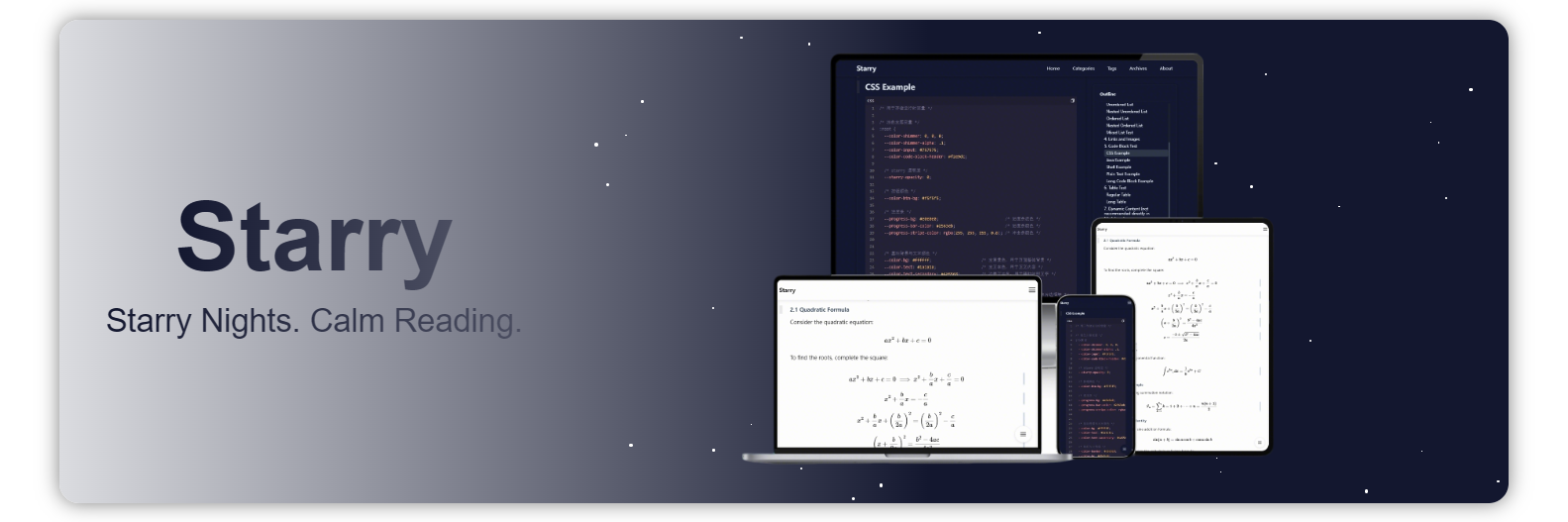
摘要
在开发 hugo 主题的过程中,由于时间跨度蛮大的,防止遗忘,把开发中遇到的细节问题都记录一下。
正文
一、快速使用
hugo 在 windows 上有三个不同的版本可选择:标准版、扩展版和扩展部署版:
据官方文档,Hugo v0.121.1 及更高版本至少需要 Windows 10 或 Windows Server 2016。
| 版本 | 特点 |
|---|
| 标准版(Standard Edition) | 内置 Hugo 核心功能(生成静态网站)。 |
| 扩展版(Extended Edition) | 除核心功能外,还支持 处理 Sass/SCSS 转 CSS(对前端样式更友好)。 |
| 扩展部署版(Extended/Deploy Edition) | 除了扩展版的全部功能,还可以 直接部署到云存储。 |
该主题适用于扩展版和扩展部署版,因为内部用到了 scss。
快速启动该站点 hugo-theme-starry-example,预览 meethigher.github.io
二、开发背景
我以 starry 为名,开发了两款主题,分别为
- hexo-theme-starry
- 2019 ~ 2025
- 大学期间,软件工程 pxy 老师,建议我们多写 cnblogs、多用 github。现在回想起来,也是少有的实战派老师。那时候突发奇想——自建博客。就匆忙使用 jquery 以及很多第三方插件自建了该主题。之后就一直在往上搭积木,实际这款主题一坨粑粑。
- hugo-theme-starry
- 2024 ~ 至今
- 时不时的发现前代主题特别重,而且也有很多交互体验不好的地方,一直想要重写,力求比前代主题——更简洁、更实用、轻依赖。
之所以放弃 hexo,是因为随着时间流逝,我的文章或者说未公开的笔记,已经有 300 余篇,hexo 构建太慢了。
starry 意为繁星,之前看过我主题的小伙伴也表示,只是添加了背景粒子效果,跟 starry 完全不搭边。
我希望简洁并专注于阅读,同时还能突出主题的核心。没有更满意的设计,因此仍然继承了这种粒子效果的风格。
不想拾人牙慧,所以就自己写主题,这或许算是一种码农“洁癖”。
另外我也确实没有找到一款适合我的主题。很多主题开发者更偏向于炫技,却忽略了实用性。比如:
- 主题过于臃肿,炫目的字体与特效、堆叠的 CSS 和 JS,让页面加载缓慢。
- 配色复杂繁杂,而我只希望主题色保持两种纯色——深与浅。
- 没有返回顶部或底部的按钮。
- 缺少清晰的目录结构。
- 响应式体验不佳。
- 图片无法自由缩放。
- 不支持全局搜索。
- 没有置顶功能。
- SEO 优化薄弱。
- 数学公式渲染卡顿。
- 技术文章具有时效性,却不标注创建时间与更新时间。
- ……
念念不忘,必有回响。所以就有了该主题。
三、开发日志
3.1 开发周期
开发周期如下
- 2024~2025:断断续续,一直考虑如何更轻量化的从 hexo 迁移至 hugo,算是了解与学习 hugo 的过程
- 2026.01.22~2026.01.23:设计原型
- 2026.01.24~2026.02.09:全力开发,完成基础功能。如下内容
- 布局的结构与样式设计
- baseof:骨架
- home:首页
- list:列表页
- taxonomy:标签与分类列表页
- section:文章列表页
- single:内容页。重点设计代码块上的交互
- seo 与 sitemap 相关
- 控制台日志规范设计,便于无代码定位问题
- 深浅主题色样式设计
- 弹窗类设计,原生 js 实现,相比前代主题更轻量
- 离线引入 gitalk 评论系统,兼容前代主题,并适配主题样式
- 网页访问统计,保留前代主题的 count-for-page 用法
- 2026.02.22~至今:完成重点功能。如下内容
- 移动端阅读体验优化
- 从阅读体验的角度来说,移动端不适合存在多种不同大小的字体,故移动端字体全部调整为 1rem
- 搜索功能
- 使用 indexDB 存储数据,并支持时效性缓存,避免频繁加载索引数据
- 设计 ui 状态机,即使后续数据量过大,使用者也能知道当前处于检索的哪一步,让搜索交互更人性化。
- 图片懒加载功能
- 原生 js 实现的懒加载功能,相比前代主题更轻量
- 预设图片尺寸,完全解决加载图和图片大小不一导致的抖动问题。同时又能在展示时直接展示原图尺寸
- 图片查看功能
- mathjax 功能
- cdn 引入 mathjax,兼容前代主题,并添加加载动效
- 对小屏友好
- 块级公式支持滚动
- 行内公式在溢出时自动切换成块级公式
- 调试模式
- 随着文章的变多,我并不想打开资源目录去找文件,而是希望通过网页直接打开本地 markdown 文件
- 配置调试的 hfopener 服务,即可直接通过网页打开 markdown 文件
3.2 碎碎念
3.2.1 开发环境
开发环境
拉取源码,进行 hugo 离线文档的运行
1
2
3
4
5
6
| git clone https://github.com/gohugoio/hugo.git
cd hugo
git checkout v0.154.5
cd docs
npm i
hugo server
|
编写 hugo 主题之前,要先了解 hugo,这个文档就是个不错的入手 demo。比任何第三方主题都规范。
3.2.2 基础命令使用
hugo cli
快速使用主题启动站点。
 1
 2
 3
 4
 5
 6
 7
 8
 9
10
11
| # 创建示例站点
hugo new site quickstart
cd quickstart
git init
# 获取主题
git clone https://github.com/meethigher/hugo-theme-starry themes/starry
# 使用默认配置启用主题
echo theme = 'starry' >> hugo.toml
# 使用主题自带配置启用主题(建议)
cp themes/starry/hugo-example.toml hugo.toml
hugo server
|
创建文章
开发主题
1
| hugo new theme theme-starry
|
针对主题的优化,可以通过命令查看瓶颈问题
1
| hugo server --templateMetrics
|
3.2.3 统一代码块风格
hugo 内置使用 chroma 作为语法高亮器,这里面包含一些配置项,可以参阅官方文档 Syntax highlighting
我在设计主题时,需要自己定义深色与浅色的样式。于是使用 hugo 的配置项生成 css 类名
 1
 2
 3
 4
 5
 6
 7
 8
 9
10
11
12
13
14
15
16
17
18
| markup:
# 禁用 hugo 的内置语法高亮器 https://gohugo.io/content-management/syntax-highlighting/
highlight:
# 代码高亮
codeFences: true
# true表示使用内联样式。false表示使用css类名
noClasses: false
# 展示行号
lineNos: true
# false表示关闭语言自动检测
guessSyntax: false
goldmark:
renderer:
# 允许渲染 markdown 中的 script
unsafe: true
extensions:
# false 表示关闭智能排版(自动把 -- 变成 –,... 变成 …,英文引号变成中文引号等)
typographer: false
|
并且自行去 chroma 的 playground 选择并生成深色与浅色样式。
1
2
| hugo gen chromastyles --style=rose-pine-moon >dark.css
hugo gen chromastyles --style=rose-pine-dawn >light.css
|
如果在 markdown 中指定了代码块使用的语言类型,那么 hugo 就会将代码块交给 chroma 来处理,生成的 dom 结构如下
 1
 2
 3
 4
 5
 6
 7
 8
 9
10
11
12
13
14
15
16
| <div class="highlight">
<div class="chroma">
<table class="lntable">
<tbody>
<tr>
<td class="lntd">
<pre tabindex="0" class="chroma"><code><span class="lnt">1</span></code></pre>
</td>
<td class="lntd">
<pre tabindex="0" class="chroma"><code class="language-sh" data-lang="sh"><span class="line"><span class="cl">curl -v https://google.com</span></span></code></pre>
</td>
</tr>
</tbody>
</table>
</div>
</div>
|
如果在 markdown 中没有指定代码块使用的语言类型,那么 hugo 就直接交给 Goldmark(真正把 .md 变成 HTML 的那一层) 处理,生成的 dom 结构如下
1
| <pre tabindex="0"><code>curl -v https://google.com</code></pre>
|
这个生成结构不统一的问题,对于开发主题时来说比较恶心。参考文档 Code block render hooks,我的解法是强制所有代码块走 Chroma,如果未指定语言类型时,默认就设置为 text,代码参考 layouts/_markup/render-codeblock.html
另外还遇到了代码块带行号时,行号和内容没有对齐的问题,排查发现是 chroma 自动生成的样式中,两者并没有使用相同的布局导致的。
3.2.4 chrome 90 兼容性测试
之前在兼容旧版浏览器时,发现 gap 很多不支持。在 chrome 90 中,居然支持 gap,所以网站中大多数是使用的 flex 布局和 grid 布局,简单的水平和垂直就使用 flex 布局,复杂的就使用 grid 布局。
在使用 chrome 90 进行兼容性测试时,发现 css 的 transition 在普通文本和 svg 上,针对 transition 动画呈现不一样的效果(新版本正常)。
svg 的 stroke="currentColor" 会继承父级的颜色,如果父级颜色过渡本身有动画,在 chrome 90 中,svg 的过渡就是双倍时间。
复现与解决 demo 如下
 1
 2
 3
 4
 5
 6
 7
 8
 9
10
11
12
13
14
15
16
17
18
19
20
21
22
23
24
25
26
27
28
29
30
31
32
33
34
35
36
37
38
39
40
41
42
43
44
45
46
47
48
49
50
51
52
53
54
55
56
57
58
59
60
61
62
63
64
65
66
| <!doctype html>
<html lang="zh-CN">
<head>
<meta charset="UTF-8">
<meta name="viewport"
content="width=device-width, user-scalable=no, initial-scale=1.0, maximum-scale=1.0, minimum-scale=1.0">
<meta http-equiv="X-UA-Compatible" content="ie=edge">
<title>Document</title>
<style>
body {
position: relative;
}
* {
transition: color 1s ease, background-color 1s ease;
}
svg {
/*transition: none !important;*/
}
.sidebar-tools {
position: fixed;
right: 20px;
bottom: 100px;
z-index: 999;
display: flex;
flex-direction: column;
gap: 15px;
}
.tool-btn {
width: 50px;
height: 50px;
background-color: white;
color: black;
border: 1px solid lightgray;
border-radius: 50%;
cursor: pointer;
display: flex;
align-items: center;
justify-content: center;
box-shadow: 0 2px 8px gray;
}
.tool-btn:hover {
background-color: skyblue;
color: white;
transform: translateY(-3px);
box-shadow: 0 4px 12px darkgray;
/*transition: background-color 1s ease;*/
}
</style>
</head>
<body>
<aside class="sidebar-tools">
<button class="tool-btn">test</button>
<button class="tool-btn">
<svg width="20" height="20" viewBox="0 0 24 24" fill="none" stroke="currentColor" stroke-width="2">
<path d="M18 15l-6-6-6 6"/>
</svg>
</button>
</aside>
</body>
</html>
|
我后面多次测试又发现,在 chrome 90 版本中,不管是 svg 还是其他标签,只要没有显式设置颜色,而需要继承父级颜色的,都存在该问题。
3.2.5 文件更新时间
在 hexo 中,page.updated 自动获取文章文件的更新时间,查阅了下 hugo 的lastmod 文档,居然不支持该操作。于是获取文件更新时间的操作只能自行实现了。
1
2
3
| {{ $filePath := .File.Path }}
{{ $stat := os.Stat $filePath }}
<p>文件实际修改时间:{{ $stat.ModTime.Format "2006-01-02 15:04:05" }}</p>
|
同样的,针对 sitemap.xml 按照更新时间倒序的生成,也进行了调整
 1
 2
 3
 4
 5
 6
 7
 8
 9
10
11
12
13
14
15
16
17
18
19
20
21
22
23
24
25
26
27
28
29
30
31
32
| {{- printf "<?xml version=\"1.0\" encoding=\"UTF-8\"?>\n" | safeHTML -}}
<urlset xmlns="http://www.sitemaps.org/schemas/sitemap/0.9">
{{- /* 1. 筛选符合条件的页面 */}}
{{- $pages := where .Site.Pages "Type" "post" }}
{{- $pages = where $pages "Draft" "eq" false }}
{{- $pages = where $pages "PublishDate" "<=" now }}
{{- $pages = where $pages "File" "ne" nil }}
{{- /* 2. 一次性获取并格式化修改时间,避免重复IO操作 */}}
{{- $sortedPages := slice }}
{{- range $pages }}
{{- $fileInfo := os.Stat .File.Path }}
{{- if $fileInfo }}
{{- /* 提前格式化时间,避免后续重复计算 */}}
{{- $modTimeFormatted := $fileInfo.ModTime.Format "2006-01-02T15:04:05Z07:00" }}
{{- /* 一次性存储所有需要的信息:页面、修改时间(原始)、格式化时间 */}}
{{- $sortedPages = $sortedPages | append (dict
"Page" .
"ModTime" $fileInfo.ModTime
"ModTimeFormatted" $modTimeFormatted
) }}
{{- end }}
{{- end }}
{{- /* 3. 按文件修改时间倒序排序 */}}
{{- $sortedPages = sort $sortedPages "ModTime" "desc" }}
{{- /* 4. 生成sitemap条目(直接使用预格式化的时间) */}}
{{- range $sortedPages }}
{{- printf "\n<url>\n <loc>%s</loc>\n <lastmod>%s</lastmod>\n</url>" .Page.Permalink .ModTimeFormatted | safeHTML -}}
{{- end }}
</urlset>
|
3.2.6 summary 与 content
hugo 的 .Summary 获取分割的摘要内容,而 .Content 获取的是包含摘要和正文的内容。我在主题中,希望将摘要和正文区分开。就需要借助布尔值 .Truncated(当有分隔符时为 true,无分隔符时为 false)
 1
 2
 3
 4
 5
 6
 7
 8
 9
10
| {{ if .Truncated }}
{{ $summaryLen := .Summary | len }}
<div class="post-summary">摘要</div>
{{ .Summary }}
<div class="post-content">正文</div>
{{ .Content | after $summaryLen | safeHTML }}
{{ else }}
<div class="post-content">正文</div>
{{ .Content }}
{{ end }}
|
3.2.7 检索
在做检索时,依旧采用纯前端检索的方式,主要解决两个问题
- 索引数据加载慢问题。解决方案
- 引入时效性缓存机制
- 使用 indexDB 存储。一开始考虑使用 localStorage 还是 indexDB,考虑到后续数据量的原因,还是 indexDB 合适一点
- 检索时交互问题。解决方案
- 页面加载完成后,立马在后台加载数据,保证使用时数据已加载完毕
- 建立 ui 状态机,五种状态(索引加载中、空闲、检索中、无匹配、成功)。这样在使用时,也能清楚的知道当前所处的检索状态
3.2.8 图片
引入 viewerjs 实现图片查看器时,发现会存在抖动问题。仔细排查,发现问题源于下面这段代码。
全局图片遮罩打开时会通过 CLASS_OPEN 设置 overflow:hidden 隐藏滚动条,这会导致页面内容向右抖动,而如上代码就是为了解决抖动问题。而我在设计主题时,使用了 sticky 定位,这要求 body 不能 hidden,并且我还设置了全局滚动条一直存在。如图代码反而会引起抖动,因此将 open 与 close 这两个方法注释掉。
3.2.9 数学公式
mathjax@3.2.2 这个太重了,而且用途也单一,因此直接 cdn 引入,并添加了加载图,避免数学公式渲染时的抖动问题。
另外遇到了新的问题,使用过长的行内公式,在移动端展现效果不好。如下图
我借鉴了让MathJax的数学公式随窗口大小自动缩放 - 科学空间|Scientific Spaces的做法,虽然能解决问题,但是也带来了失真。
 1
 2
 3
 4
 5
 6
 7
 8
 9
10
11
12
13
14
15
| function autoResizeMath() {
document.querySelectorAll('.MathJax').forEach(function (e) {
e.style.fontSize = "";
var parentWidth = e.parentNode.offsetWidth;
if (e.offsetWidth > parentWidth) {
e.style.fontSize = (parentWidth * 100 / e.offsetWidth) + "%";
}
});
}
window.addEventListener("load", function () {
MathJax.startup.promise.then(autoResizeMath);
});
window.addEventListener("resize", autoResizeMath);
|
效果如下
所以我放弃了上述做法,而是判断如果溢出,就将行内公式替换成块级公式,以此实现滚动效果。
 1
 2
 3
 4
 5
 6
 7
 8
 9
10
11
12
13
14
15
16
| function logWidths() {
// 其中块级公式与行内公式的区别就是有没有 `display="true"` 的属性
const list = document.querySelectorAll("mjx-container");
list.forEach((el, index) => {
const parent = el.parentElement;
const parentWidth = parent ? parent.getBoundingClientRect().width : 0;
const selfWidth = el.getBoundingClientRect().width;
console.log("公式索引:", index);
console.log("父级宽度:", parentWidth);
console.log("公式宽度:", selfWidth);
console.log("是否溢出:", selfWidth > parentWidth);
console.log("--------------");
});
}
|
3.2.10 yaml 与 toml
hugo 官方比较推荐 toml 配置,于是我将 yaml 配置通过 ai 转换成 toml 配置,结果观察启动日志一直无法让 theme 参数生效,原因是 ai 给我转换的结果如下
原始 yaml
1
2
3
4
5
| pagination:
pagerSize: 4
path: page
theme: starry
|
转换错误的 toml
1
2
3
4
5
| [pagination]
pagerSize = 4
path = "page"
theme = "starry"
|
对于 toml 来说,从某个 [table] 开始,后续键值都属于这个 table,直到遇到新的 table 定义。
ai 的准确性还是差了点,建议直接使用在线工具YAML to TOML - IT Tools
3.2.11 发布主题
fork 官方的主题仓库 gohugoio/hugoThemesSiteBuilder: The source for https://themes.gohugo.io
按字母升序,在 themes.txt 中添加主题仓库地址即可。主题数实在太多了,直接在首行添加主题,然后执行命令进行排序即可。
1
| sort themes.txt > themes-sorted.txt
|
其中注意事项如下
hugo.toml 配置文件,指定 hugo 的可用版本theme.toml 配置文件,包含主题元属性README.md 主题说明。- 若引用图片,必须使用绝对路径
- github 上的静态资源引用格式
https://raw.githubusercontent.com/用户名/仓库名/分支名/资源路径
- 主题说明图片
- 宽高比:3/2
- 文件名及位置
- 截图:
[ThemeDir]/images/screenshot.{png,jpg} - 缩略图:
[ThemeDir]/images/tn.{png,jpg}
- 尺寸要求
- 截图:至少
1500*1000 像素 - 缩略图:至少
900*600 像素
构建的速度还是蛮快的,提交后的一分钟,预览页就构建好了。
3.2.12 下载/提取艺术字
在涉及到英文的时候,尝试寻找一些手写体,部分网站提供的 woff 字体格式均不好使。但是基本所有字体都有 ttf 格式,所以我又将 ttf 转为 woff。
涉及到的工具站如下
有些字体,网上提供的跟 Windows 自带的字体展示效果不同。就比如 Comic Sans MS,所以我就在 Windows 中自行提取 ttf 字体了,然后进行转换。
3.2.13 前进/回退进度条隐藏
主题中在编译时生成的 a 标签,均注册了点击加载进度条的效果。这在正常的点击页面时,使用没问题。
但是当执行前进/回退时,由于不同浏览器的触发效果不同。最终我做了如下兼容效果。
 1
 2
 3
 4
 5
 6
 7
 8
 9
10
11
| window.addEventListener("load", resetProgress);
window.addEventListener("pageshow", function (e) {
resetProgress();
});
document.addEventListener("visibilitychange", () => {
if (document.visibilityState === "visible") {
resetProgress();
}
});
|
我粗略测试触发时机,确实符合 ai 的如下说法
| 场景 | load | pageshow | visibilitychange |
|---|
| 首次进入页面 | ✅ | ✅ | ❌ |
| BFCache 返回 | ❌ | ✅ | ✅ |
| 切换 tab 再回来 | ❌ | ❌ | ✅ |
| 页面重新加载 | ✅ | ✅ | ❌ |
3.2.14 dom抖动问题
我的布局设计如下
我的 dom 结构如下
1
2
3
4
| <div id="content">
<div id="post"></div>
<div id="toc"></div>
</div>
|
由于 dom 的解析是从上到下执行的,当我的 post 内容很长时,在移动端将 toc 置顶展示,就会出现一闪而过的抖动问题。解决办法也很简单,将其调换一下顺序即可。
四、适配
下面就需要将 starry 主题的 hexo 文章转移到 hugo。适配内容如下
- 文章结构适配
- markdown 内容适配
- front-matter 适配
- 图片适配
4.1 文章结构适配
4.1.1 新旧对比
hexo 文章结构
1
2
3
4
5
6
7
8
| │ java.md
│ nodejs.md
│
├─java
│ image-20260227123802560.png
│
└─nodejs
image-20260227123802560.png
|
hugo 文章结构
 1
 2
 3
 4
 5
 6
 7
 8
 9
10
| ├─nodejs
│ │ index.md
│ │
│ └─index
│ image-20260227123802560.png
├─java
│ │ index.md
│ │
│ └─index
│ image-20260227123802560.png
|
4.1.2 脚本
python 脚本
 1
 2
 3
 4
 5
 6
 7
 8
 9
10
11
12
13
14
15
16
17
18
19
20
21
22
23
24
25
26
27
28
29
30
31
32
33
34
35
36
37
38
39
40
41
42
43
44
45
46
47
| import os
import shutil
base_path = os.getcwd()
base_path = "D:/Desktop/post_test/_posts"
for file in os.listdir(base_path):
if not file.endswith(".md"):
continue
name = file[:-3]
md_path = os.path.join(base_path, file)
old_dir = os.path.join(base_path, name)
target_dir = os.path.join(base_path, name)
target_md = os.path.join(target_dir, "index.md")
target_asset_dir = os.path.join(target_dir, "index")
temp_dir = os.path.join(base_path, name + "__old_assets__")
# 如果已经是目标结构,跳过
if os.path.isdir(target_dir) and os.path.isfile(target_md):
continue
# 如果存在旧资源目录,先临时改名,避免冲突
if os.path.isdir(old_dir):
os.rename(old_dir, temp_dir)
# 创建目标文章目录
if not os.path.exists(target_dir):
os.makedirs(target_dir)
# 移动 markdown
if os.path.exists(md_path):
shutil.move(md_path, target_md)
# 如果存在旧资源目录(临时目录)
if os.path.isdir(temp_dir):
os.makedirs(target_asset_dir, exist_ok=True)
for item in os.listdir(temp_dir):
shutil.move(
os.path.join(temp_dir, item),
os.path.join(target_asset_dir, item)
)
os.rmdir(temp_dir)
|
4.2 markdown 内容适配
4.2.1 front-matter 适配
4.2.1.1 新旧对比
hexo
1
2
3
4
5
6
7
8
9
| ---
title: {{ title }}
date: {{ date }}
published: true
comments: false
mathjax: false
tags: []
top: 10
---
|
hugo
 1
 2
 3
 4
 5
 6
 7
 8
 9
10
11
12
| ---
title: '{{ replace .File.ContentBaseName "-" " " | title }}'
date: '{{ .Date }}'
categories: []
tags: []
type: post
draft: false
comments: false
mathjax: false
state: none
weight: 999999
---
|
4.2.1.2 脚本
使用 ppyaml 解析 front-matter 的 yaml 结构
python 脚本
  1
  2
  3
  4
  5
  6
  7
  8
  9
 10
 11
 12
 13
 14
 15
 16
 17
 18
 19
 20
 21
 22
 23
 24
 25
 26
 27
 28
 29
 30
 31
 32
 33
 34
 35
 36
 37
 38
 39
 40
 41
 42
 43
 44
 45
 46
 47
 48
 49
 50
 51
 52
 53
 54
 55
 56
 57
 58
 59
 60
 61
 62
 63
 64
 65
 66
 67
 68
 69
 70
 71
 72
 73
 74
 75
 76
 77
 78
 79
 80
 81
 82
 83
 84
 85
 86
 87
 88
 89
 90
 91
 92
 93
 94
 95
 96
 97
 98
 99
100
101
102
103
104
105
106
107
108
109
110
111
112
113
| import os
import re
import yaml
ROOT_DIR = "./_posts"
ORDER = [
"title",
"date",
"categories",
"tags",
"type",
"draft",
"weight",
"state",
"comments",
"mathjax"
]
def quote_string(val):
if isinstance(val, str):
return f"'{val}'"
return val
def process_file(path):
with open(path, "r", encoding="utf-8") as f:
text = f.read()
match = re.match(r"^---\n(.*?)\n---\n?", text, re.S)
if not match:
return
fm_raw = match.group(1)
body = text[match.end():]
data = yaml.safe_load(fm_raw) or {}
new_data = {}
# title
if "title" in data:
new_data["title"] = quote_string(str(data["title"]))
else:
new_data["title"] = "'{{ replace .File.ContentBaseName \"-\" \" \" | title }}'"
# date
if "date" in data:
new_data["date"] = quote_string(str(data["date"]))
else:
new_data["date"] = "'{{ .Date }}'"
# categories
new_data["categories"] = data.get("categories", ["blog"])
# tags
new_data["tags"] = data.get("tags", [])
# type
new_data["type"] = data.get("type", "post")
# draft (由 published 转换)
if "draft" in data:
new_data["draft"] = data["draft"]
elif "published" in data:
new_data["draft"] = not bool(data["published"])
else:
new_data["draft"] = False
# comments
new_data["comments"] = data.get("comments", False)
# mathjax
new_data["mathjax"] = data.get("mathjax", False)
# state
new_data["state"] = data.get("state", "none")
# weight
new_data["weight"] = data.get("weight", 999999)
# state & weight
if "top" in data:
new_data["state"] = "top"
new_data["weight"] = data["top"]
else:
new_data["state"] = data.get("state", "none")
new_data["weight"] = data.get("weight", 999999)
# 构建新 front-matter
lines = ["---"]
for key in ORDER:
val = new_data[key]
if isinstance(val, str) and val.startswith("'") and val.endswith("'"):
lines.append(f"{key}: {val}")
else:
dumped = yaml.dump({key: val}, allow_unicode=True, default_flow_style=False)
dumped_line = dumped.strip()
lines.append(dumped_line)
lines.append("---")
new_text = "\n".join(lines) + "\n" + body
with open(path, "w", encoding="utf-8") as f:
f.write(new_text)
def walk():
for root, _, files in os.walk(ROOT_DIR):
for file in files:
if file.endswith(".md"):
process_file(os.path.join(root, file))
if __name__ == "__main__":
walk()
|
4.2.2 图片适配
4.2.2.1 新旧对比
hexo 图片引入方式
1
| 
|
hugo 图片引入方式
1
| 
|
4.2.2.2 脚本
python 脚本
 1
 2
 3
 4
 5
 6
 7
 8
 9
10
11
12
13
14
15
16
17
18
19
20
21
22
23
24
25
26
27
| import os
import re
root_dir = "./_posts"
pattern = re.compile(r'\{%\s*asset_img\s+([^\s]+)(?:\s+([^\s]+))?\s*%\}')
def convert_line(line):
match = pattern.search(line)
if match:
img = match.group(1)
title = match.group(2)
if title:
return f'\n'
else:
return f'\n'
return line
for dirpath, _, filenames in os.walk(root_dir):
for filename in filenames:
if filename.endswith(".md"):
file_path = os.path.join(dirpath, filename)
with open(file_path, "r", encoding="utf-8") as f:
lines = f.readlines()
new_lines = [convert_line(line) for line in lines]
with open(file_path, "w", encoding="utf-8") as f:
f.writelines(new_lines)
|
4.3 文章更新时间适配
经过上面这一顿折腾,文章内容我并没有进行更新,但所有的文件更新时间都变成了当前时间。
因此,还需要保留原始的文章更新时间。
配合该工具meethigher/mtstamp: mtstamp 是一个用于备份和恢复文件修改时间的命令行工具使用。还原命令
1
| mtstamp back D:\3Develop\www\hugoBlog\blog\content\archives
|
4.4 部署与维护
列了个清单
- ✅本地服务自启动
- ✅一键发布
- ✅配套工具 post2md 调整
- ✅seo 与 sitemap
- ✅其他内容
- ✅站点首页、搜索页、404页、系统升级页,与主题适配,使用 mpa 架构开发
- ✅标题、头像,也与主题适配
4.4.1 本地服务自启动
针对 hexo,我当初使用了 winsw 实现了服务自启动,方便随时随地查阅本地知识库。
针对 hugo,我打算用同样的做法,自启动 hugo server。
hugo-server.xml
 1
 2
 3
 4
 5
 6
 7
 8
 9
10
| <service>
<id>AA-Hugo-Server</id>
<name>AA-Hugo-Server</name>
<description>Hugo的本地服务,占用端口4000</description>
<workingdirectory>D:\3Develop\www\hugoBlog\blog</workingdirectory>
<executable>D:\3Develop\hugo\hugo_extended.exe</executable>
<arguments> server -D -p 4000</arguments>
<log mode="reset"/>
<logpath>service-logs</logpath>
</service>
|
4.4.2 一键发布
hexo 可以搭配 git 通过 hexo d 命令进行远程部署。但是查阅了下文档,发现 hugo 并不支持该操作。
官方说法:Use the hugo deploy command to deploy your site Amazon S3, Azure Blob Storage, or Google Cloud Storage.
服务器上旧服务不调整,只使用 bat 开发 hugod 脚本适配旧版提交方式即可。
1
2
3
4
5
6
7
| hugo --minify -d .deploy_git
cd .deploy_git
git restore --staged ./
git add .
git commit -m "Hugo Site updated: %date:~0,4%-%date:~5,2%-%date:~8,2% %time:~0,2%:%time:~3,2%:%time:~6,2%"
git push -u origin master
pause
|
五、性能比较
使用 windows powershell 来分别记录命令耗时
 1
 2
 3
 4
 5
 6
 7
 8
 9
10
11
| # 管理员模式,进入 powershell
powershell
# 修改策略为无限制
Set-ExecutionPolicy Bypass
# 执行命令,记录耗时
Measure-Command { hexo g > $null }
# 将策略改为默认
Set-ExecutionPolicy Restricted
|
同样的硬件环境、生成页面数一样。最终实际性能差异如图。共 335 篇。
我非常满意!